Running Multiple Claude Code Sessions on One Project: What I Split, What I Shared, What Broke
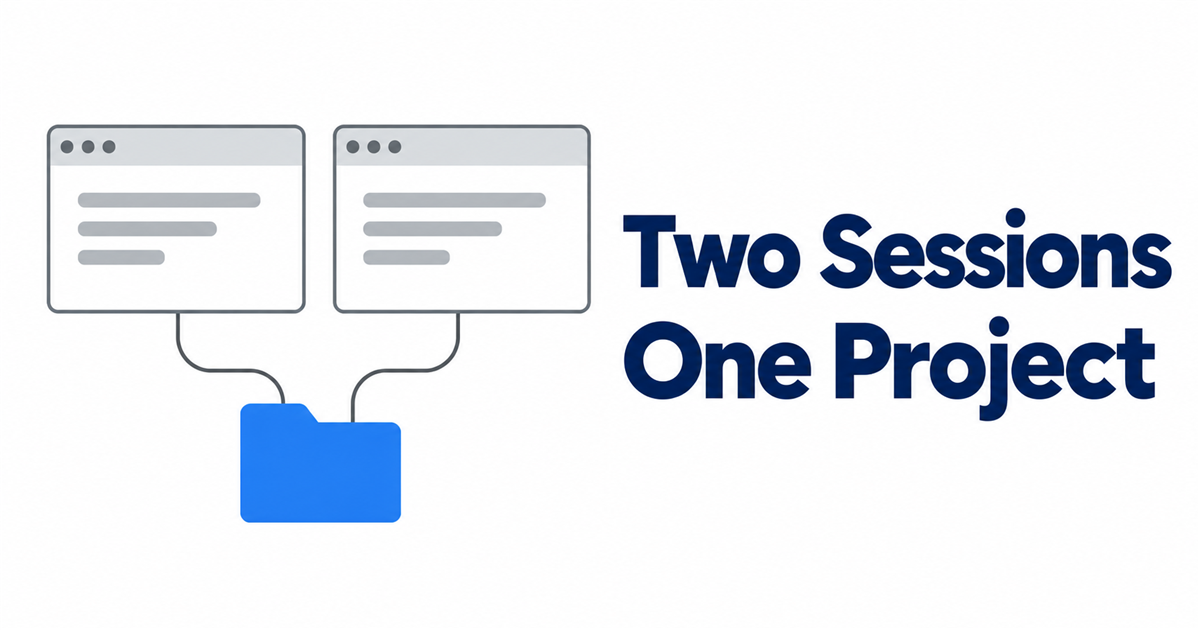
Since September 30, 2026, I've had two Claude Code sessions working in the same project folder at the same time. One handles my blog workflow. The other is building a new YouTube channel. I'm not a developer, and I talk to each one in its own window.
People search for "multiple Claude Code sessions" with all kinds of follow-ups: at once, in parallel, can they talk to each other. Here's what a day and a half of actually doing it taught me. It's a short track record, so treat this as field notes, not a benchmark.
Why I opened a second session
The blog had a steady routine: research, draft, review, publish. The video channel needed something different: scripts, voice, an assembly pipeline. Doing both in one conversation would have mixed two very different jobs into one long context. So I asked how to run the video work "in another window," and set one up.
Photo: Hatice Baran on Pexels
Same folder or separate copy?
Claude Code can work in an isolated copy of a repository (a git worktree). I didn't use one, on purpose.
Not all of my project's state is in git. The task database, the dashboard's data, and the Google sign-in tokens live in folders that are deliberately excluded from version control. A fresh copy would start without them, so the video session wouldn't see the shared task board and couldn't sign in. Both sessions therefore open the same folder.
That choice is what makes the next three sections necessary.
Give each session a lane
Before the new window opened, the blog session drafted a scope rule for me to paste in as its first message:
- This session is for video work only. Never touch blog tasks, approvals, or publishing.
- When asked to "process pending instructions," handle only video tasks.
- When saving work to git, commit only video files.
The blog session took on the mirror-image rule. This matters because both sessions read the same inbox. When I delegated a video task and a blog task seven seconds apart, both items showed up in the blog session's inbox. Because of the lane rule, the blog session handled only the blog item and left the video task alone.
What the sessions share (and can't avoid sharing)
| Shared | Why it matters |
|---|---|
The project folder and rulebook (CLAUDE.md, procedures) | Both sessions follow the same rules without extra setup |
| The task database and dashboard | One board shows both pipelines; each session must filter by lane |
| The subscription's usage limits | Claude's Pro and Max limits are shared across Claude and Claude Code (Claude Help, checked 2026-10-01), so two busy sessions draw from one allowance |
| The git history | Both commit to the same branch |
What broke: shared logs and commits
Nothing went down, but one thing got messy right away. My dashboard writes a JSON copy of its database after every change, into one shared export folder. When the blog session checked what had changed, it saw export files modified by the video session's work.
A habit like "commit everything that changed" would have filed the other session's changes under a blog commit message. The fix is the lane rule applied to git: each session stages only its own task folders and files by name, and leaves the shared export for whoever owns the change.
Photo: Matheus Bertelli on Pexels
How the sessions talk to each other
Short answer: they don't, directly. Neither session can see the other's conversation. They coordinate through the things they share:
- the task board (each task has an owner and a status),
- the dashboard's messenger, where the agents and I leave notes per task,
- the files and commit history in the folder.
That's slower than live chat between agents, but every handoff leaves a record I can read.
A checklist before you open session #2
- ☐ Does the new work have a clear lane that doesn't overlap the first session's?
- ☐ Does state outside git (databases, tokens) mean you need the same folder rather than an isolated copy?
- ☐ Did you put the lane rule in the first message of each session, and save a copy in a file both can read?
- ☐ Will each session commit only its own files?
- ☐ Are you ready for both sessions to share one usage limit?

Comments
Post a Comment